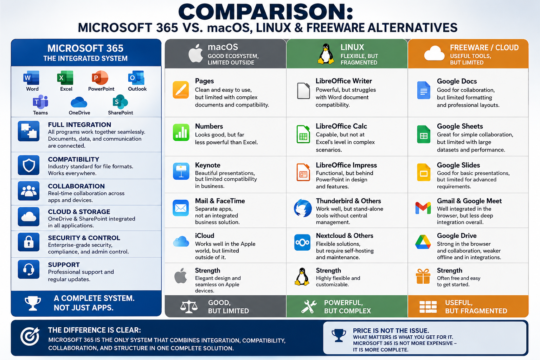
The claim made by many Mac users does not hold up that well. Apple has solved synchronization very well and very simply—but only within its own ecosystem. Microsoft can do the same, just with a different approach and in a much more open way.
How Apple Does It (macOS / iOS)
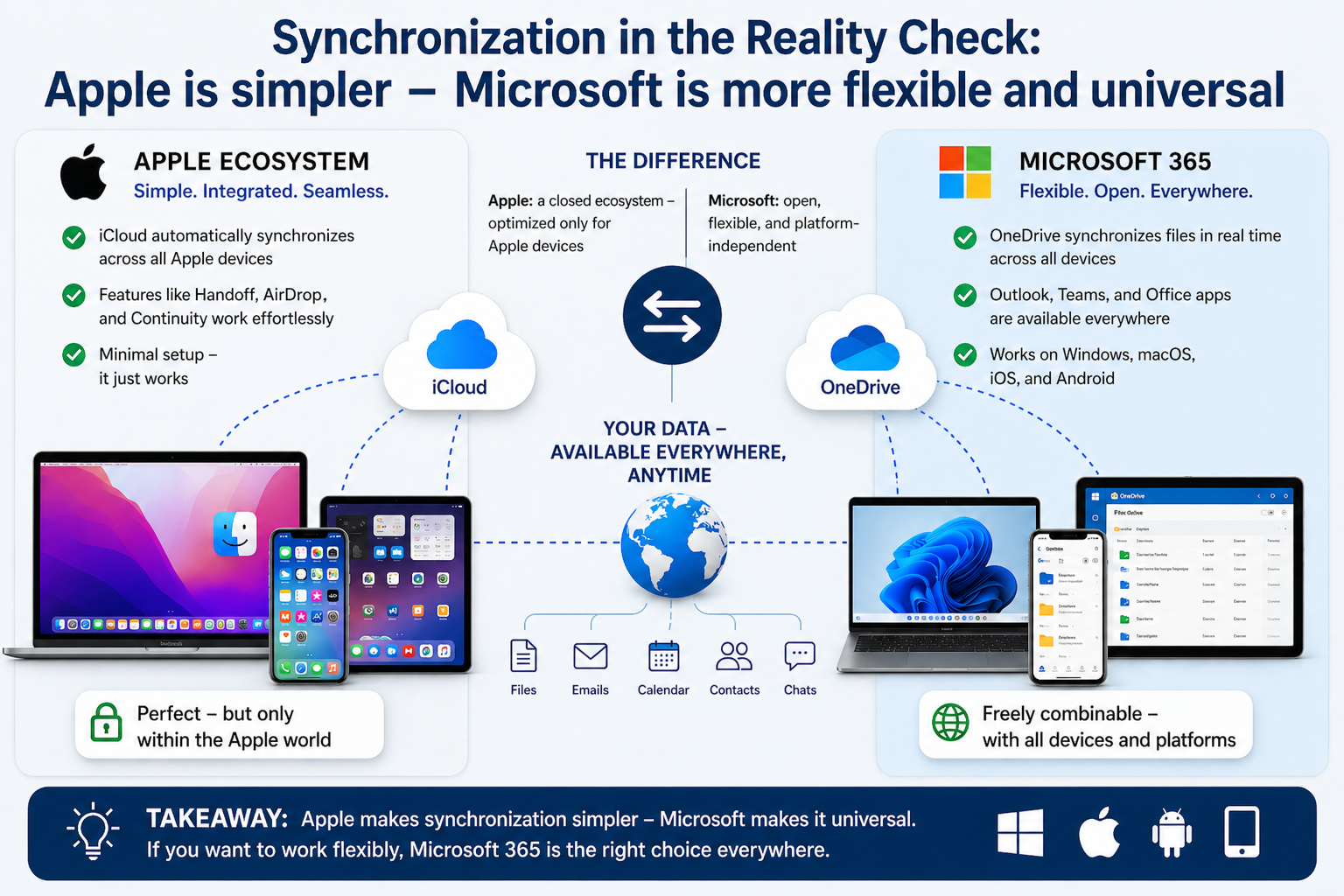
Apple relies on iCloud and close integration between devices:
- Photos, contacts, calendars, and files sync automatically
- Features like Handoff or AirDrop work almost “magically”
- Setup is minimal; everything is preconfigured
This is technically elegant—but it works optimally only if you use Apple devices exclusively. As soon as Windows, Android, or other systems enter the picture, it quickly becomes limited.
How Microsoft Does It (Microsoft 365 / Windows / Mobile)
Microsoft follows a different approach: cloud-centered and cross-platform.
- OneDrive synchronizes files in real time between Windows, macOS, iOS, and Android
- Outlook synchronizes email, calendars, and contacts across all devices
- Teams synchronizes chats, meetings, and files
- Office documents are identically available everywhere—desktop, web, and mobile
The key point: Microsoft is not tied to specific hardware.
You can easily combine:
- Windows PC in the office
- MacBook while traveling
- Android phone or iPhone privately
And still have the same data everywhere.
The Real Difference
Apple:
- Extremely simple
- Perfectly integrated
- But closed
Microsoft:
- Also fully synchronized
- Requires a bit more configuration logic
- But open and flexible
Where the Myth Comes From
Many people compare a fully optimized Apple setup with a poorly configured Windows system. That is not a fair comparison.
A properly configured Microsoft 365 system offers:
- Automatic file synchronization (OneDrive)
- Cross-device clipboard (Windows + Cloud Clipboard)
- Password sync (Microsoft Authenticator / Edge)
- Seamless document editing across all devices
The problem is usually not the technology—but the lack of proper setup.
Where Apple Truly Has the Advantage
- Zero-configuration experience (unbox it and it works)
- Deeply integrated device functions (for example AirDrop)
- Consistent user interface
That is convenient, no question.
Where Microsoft Is Clearly Stronger
- Cross-platform without restriction
- Better integration in business environments
- More flexible use of different devices
- No dependency on a single manufacturer
Conclusion
- Apple makes synchronization simpler.
- Microsoft makes it more universal.
If someone uses only Apple products, the system may seem “better.”
But once you work realistically—with mixed devices, different requirements, and business integration—Microsoft is clearly superior.
The statement “Microsoft can’t do that” is simply false.
It works—just with fewer restrictions, and therefore with a bit more complexity.